If you can't find a bookmark you saved, the system isn't working.
Most people have the same problem: too many links, too little structure, and a search that only works if you remember the exact title. Here's what actually fixes it.
No Bookmarks Found
Search only looks at exact title matching. Chrome returned 0 results for your query.
Folders don't work at scale. Here's why.
The folder system made sense when you had 20 bookmarks. You put news in "News", recipes in "Recipes", and work links in "Work". It was fine.
The problem starts around 100 links. Folders begin to overlap - is this article "Research" or "AI" or "Work"? You have to decide at save-time, when you least want to think about filing. So you put it somewhere imprecise, or you dump it in a general folder, or you leave the tab open because the cost of filing feels higher than the cost of re-finding later.
By 500 links, the folder system has completely broken down. You have a "Misc" folder that contains everything. Your "To Read" folder is a graveyard. You've stopped trusting that search will work, so you just Google things you know you've already saved.
Decision fatigue at save-time
If saving requires you to pick a folder, you will stop saving. You will leave the tab open instead. To keep your library complete, saving must be completely friction-free.
Retrieval failure
You know you saved the link. You open your folder tree, click around three possible folders, don't see it, get frustrated, and go back to Google. The link is saved, but it is effectively lost.
Single-category thinking
A link about "CSS Grid for responsive dashboards" belongs in "CSS", "Responsive Design", "Dashboards", and "Frontend Dev" simultaneously. Folders force you to pick one. Tags help but require maintenance. Neither scales.
What actually works: organise by retrieval, not by category.
The goal of bookmarking is finding things - not storing them. Design your system around how you search, not how you file.
Save first, organise automatically
The overhead of manual filing is why bookmark systems fail. If saving requires a decision, you save less. The better model: save everything instantly, let the tool handle categorisation. You can always reorganise later - but you can't search something you didn't save.
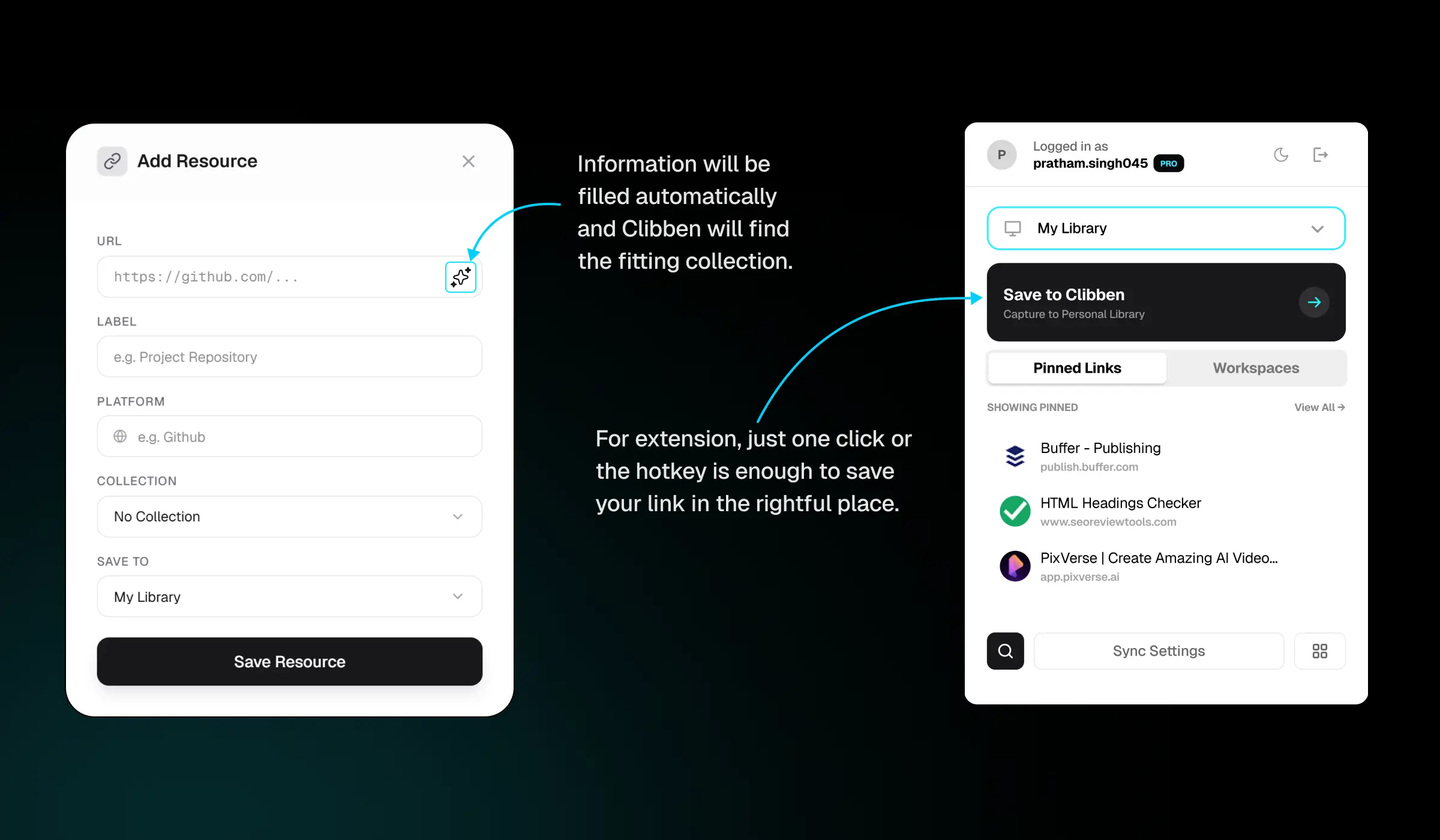
Use context-based collections, not topic folders
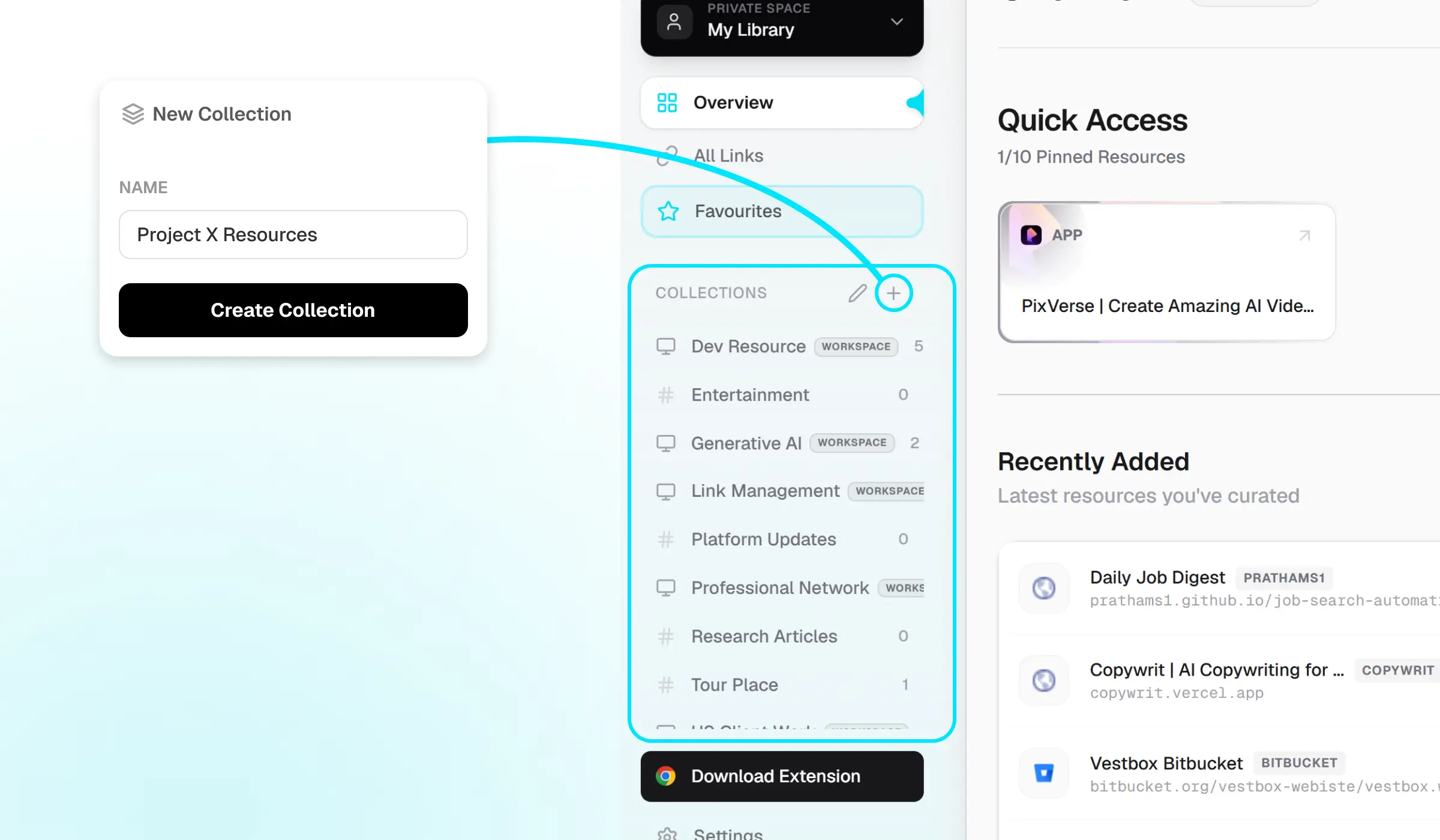
Instead of "Research", "AI", "Tools" - try "Active Project: [Name]", "Reference Library", "Reading Queue." Collections organised by how you use the links, not what the links are about. This maps to how you actually retrieve things.
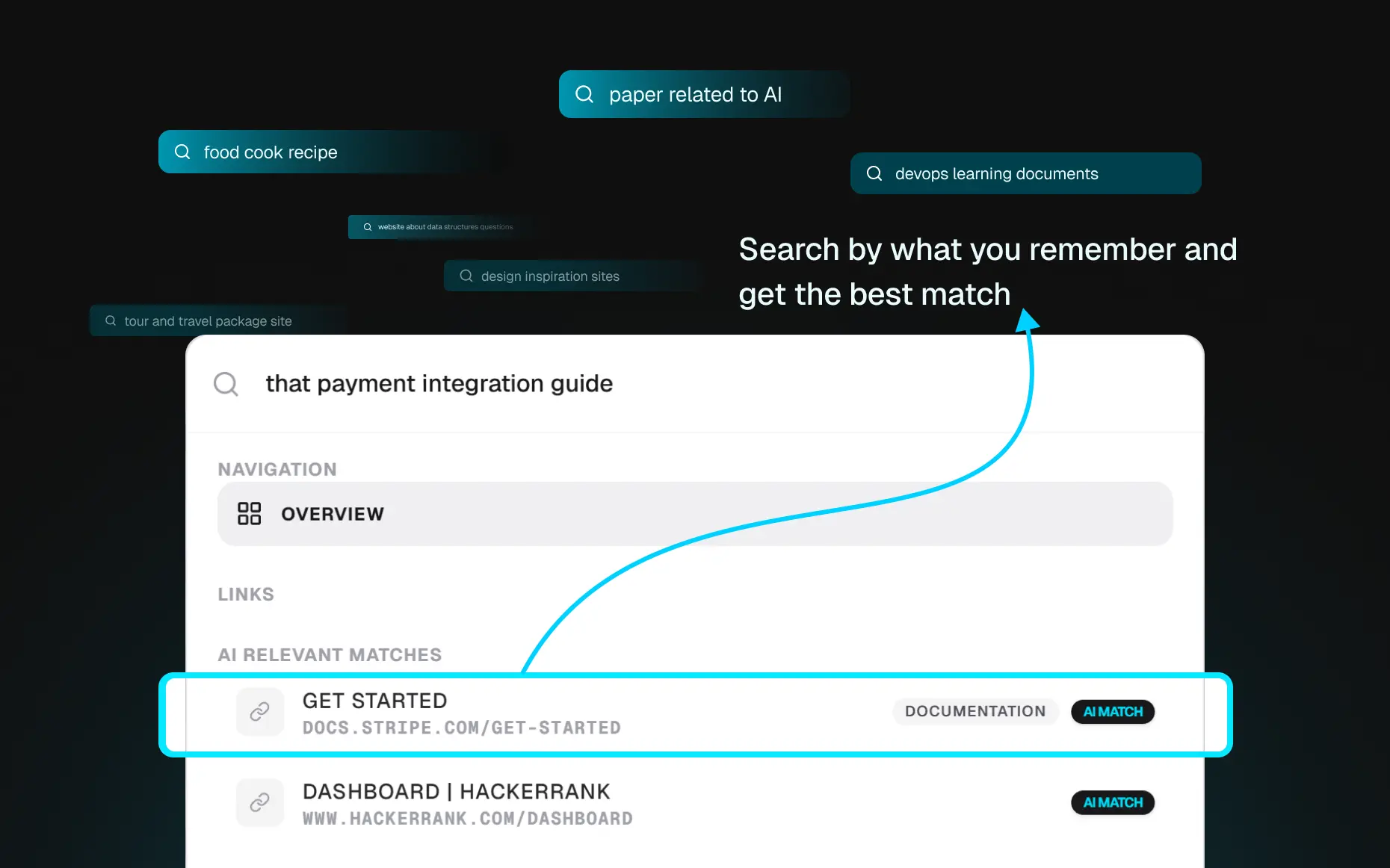
Make search your retrieval method, not folder navigation
Stop relying on finding the right folder and clicking through it. If you have good search, you should be able to find any link by typing what you remember - a topic, a domain, a fragment of the title. Your bookmark structure is for broad organisation. Search is for retrieval.
The structure that works for most people
A minimalist blueprint for organizing collections without creating folder mazes.
| Collection Type | Operational Purpose |
|---|---|
| active-projects | One collection per project you are actively working on. Contains all design links, task assets, and quick dependencies. **Delete or archive the collection completely** once the project is finished. |
| reference-library | Stable, static documentation that you access occasionally (e.g. Postgres indexes cheat sheet, Tailwind config reference, tax compliance rules). |
| reading-queue | Interesting blog posts, tutorials, or newsletters. Use a strict **30-day deletion rule** - if you haven't opened a queued link within a month, discard it. |
| ideas-vault | Inspiration, design templates, software SaaS models you liked, or marketing angles. A library of things you want to reference when starting something new. |
Three rules for maintaining this structure
Keep collections under 8
If you have more than 8 top-level collections, your system is too complex. You will hesitate on where to save things. Reduce scope.
Archive aggressively
A project that shipped last quarter should not clutter your workspace. Archive its collection. The links are still searchable, but gone from view.
Search before browsing
When you need a link, type into search first - don't navigate folder trees. If search fails, improve it. If it works, trust it.
Clibben does the hard parts automatically.
The system above works. Clibben makes it require almost no maintenance.
Auto-categorisation
Paste a link. Clibben reads the page and places it in the right collection automatically. No filing decision. No inbox overflow. The overhead of saving drops to near zero.
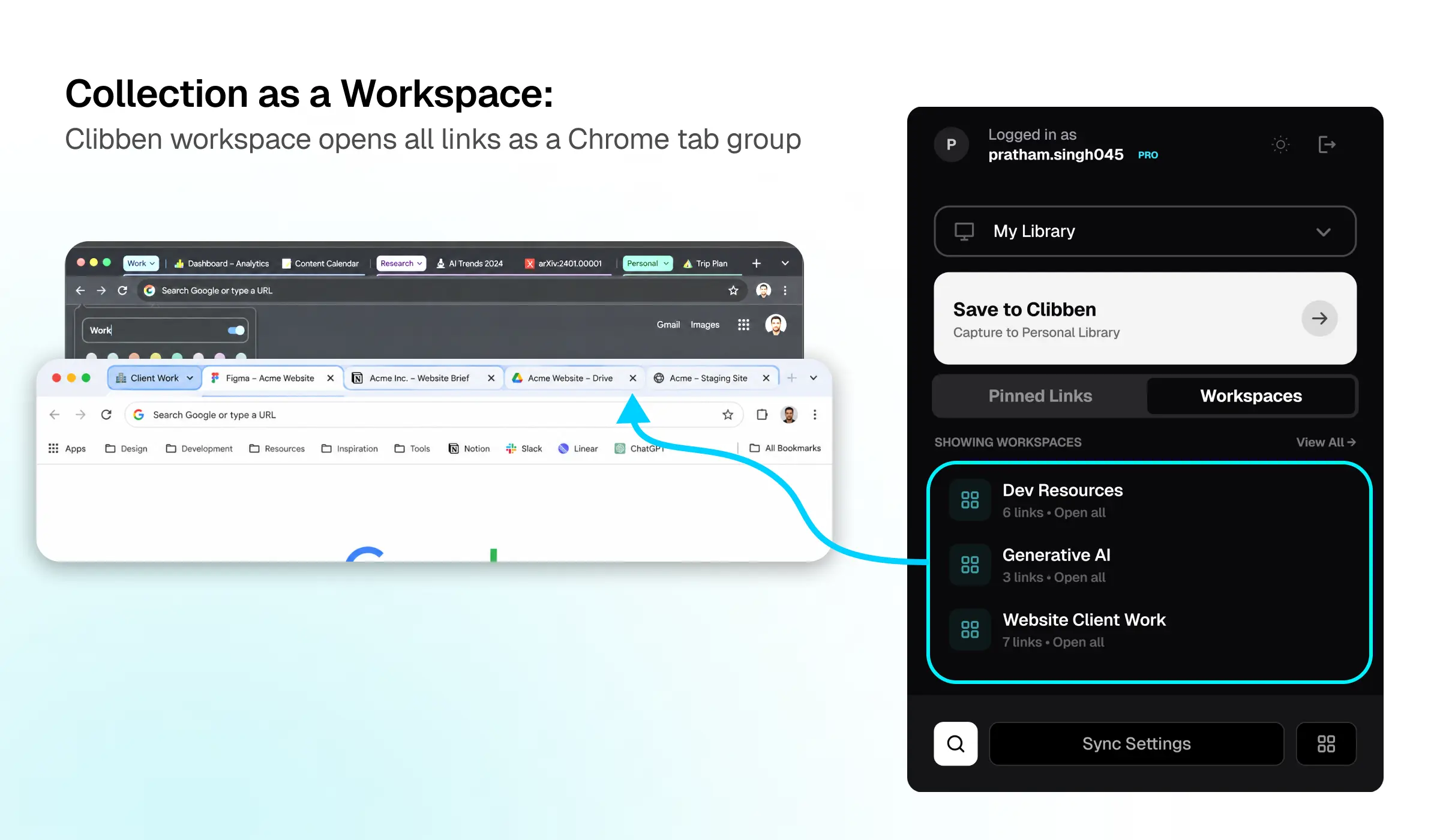
Collections as Workspaces
Mark any collection as a Workspace. One click opens all its links as a Chrome Tab Group - your project context, restored instantly. Collections become active working environments, not passive link dumps.
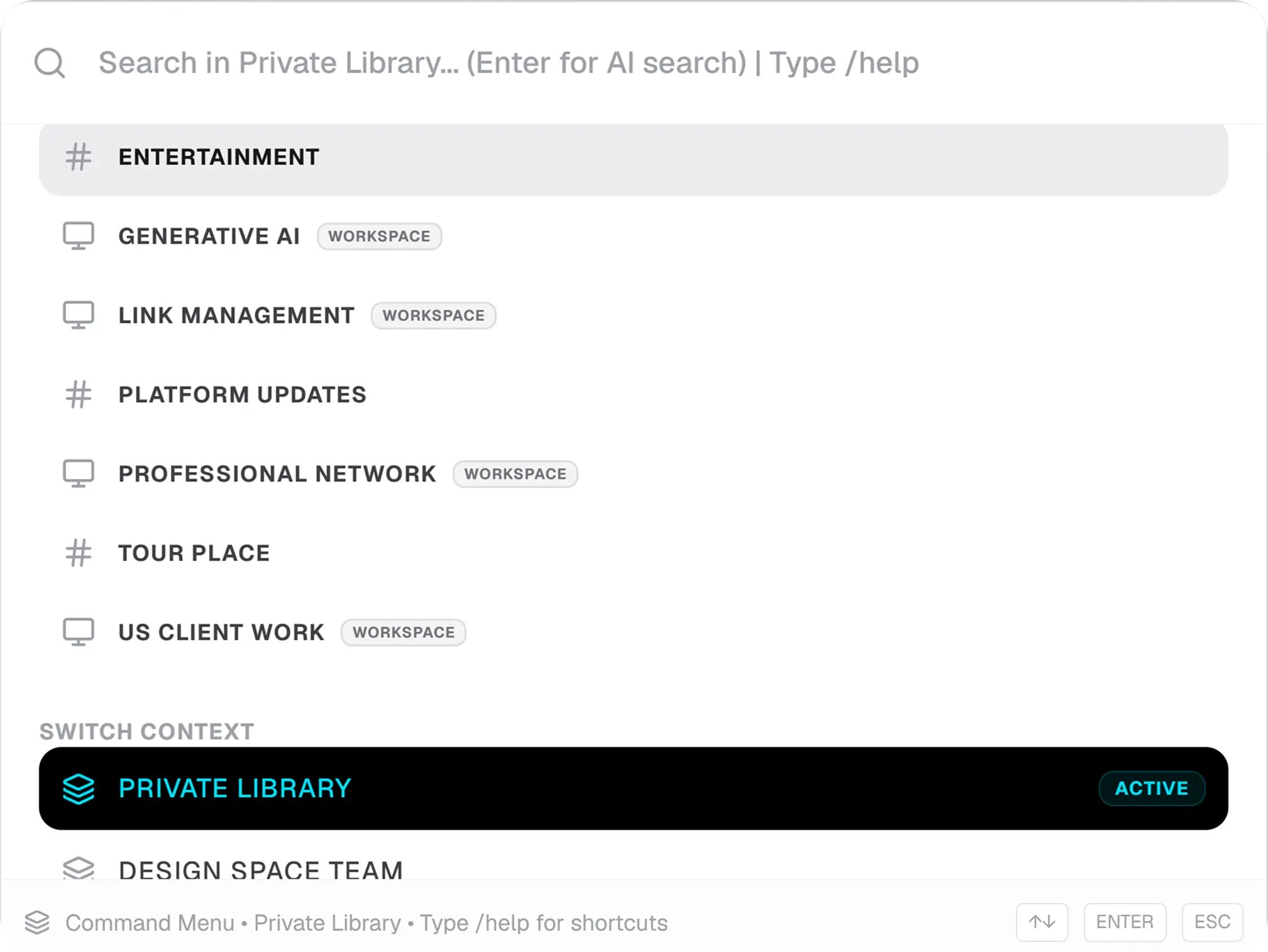
Keyboard search overlay
Press your hotkey from any tab. A search overlay appears. Type what you remember - the topic, a domain, anything. Clibben finds it without you navigating folders. You never leave your current page. Natural Searching works in Pro Plan only.
Four things that make bookmark systems fail
Too many folders
If you have more than 8–10 top-level collections, you will stop using the system. More folders means more filing decisions means more friction means you stop saving consistently.
Saving everything to bookmarks bar
The bookmarks bar is for sites you visit daily - your email, your project management tool, your bank. It is not a filing system. If you have more than 12 items in the bookmarks bar, it has broken down.
Treating "To Read" as a collection
"To Read" folders become archaeological sites. A link you haven't read in 30 days will probably never be read. Use a Reading Queue as a temporary holding area - review it weekly and delete anything older than 30 days you haven't opened.
Relying on memory for retrieval
"I'll remember where I put it." You won't. File precisely from day one, or use a tool with auto-categorisation so filing happens for you.
Your bookmark system should work for you, not against you.
Clibben auto-categorises as you save and lets you search everything from any tab. Free to start.