Your inspiration is everywhere. Finding it again shouldn't be.
Figma links, Dribbble shots, font sites, colour palettes, competitor references - saved in one place, found in seconds, without leaving the page you're on.
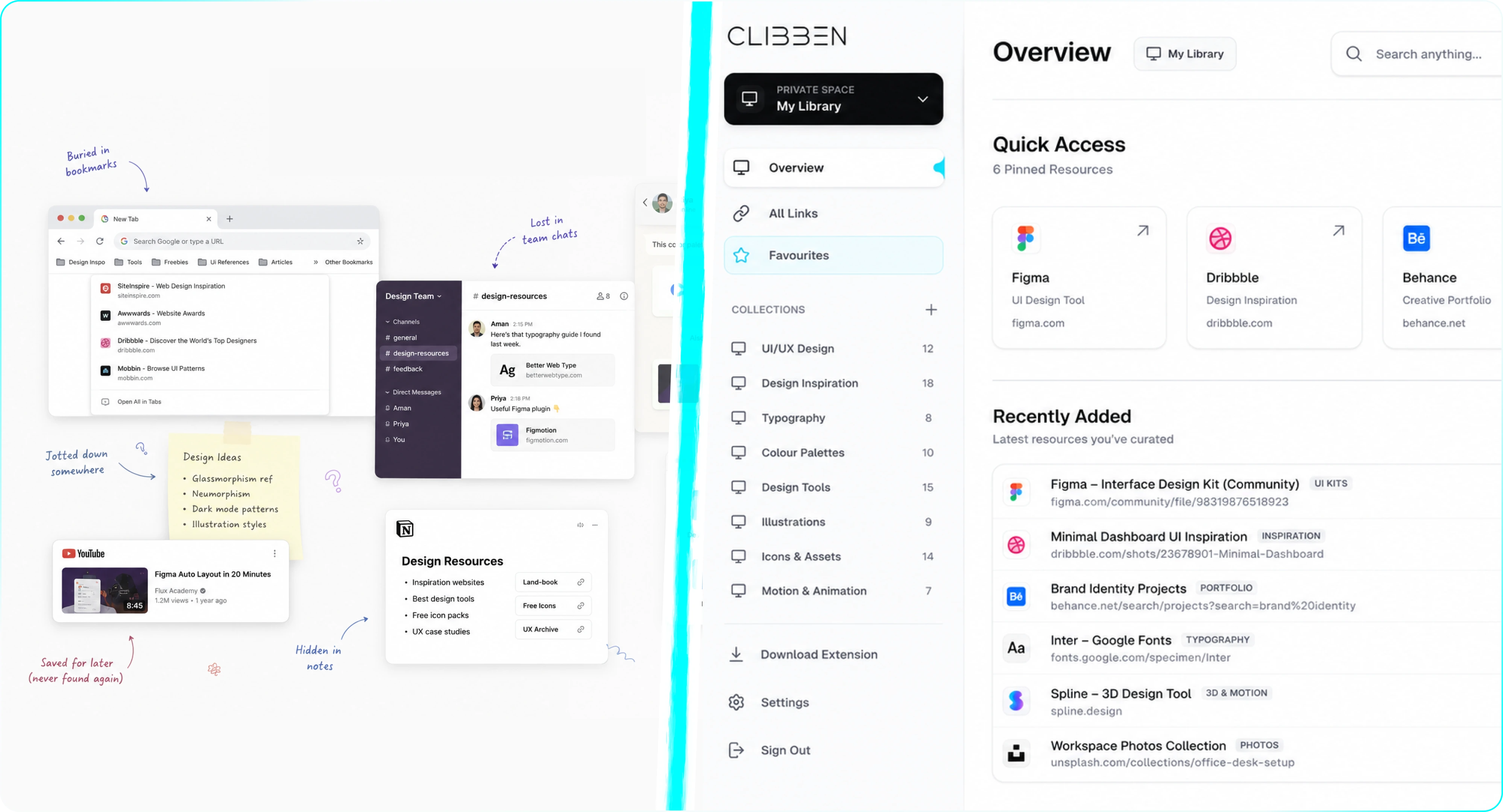
A designer's browser looks like a mood board exploded.
You're mid-project. You've got Dribbble open, three competitor sites, a fonts.google.com tab, a Behance project, and two Figma community files. You're not done researching. You just need to come back to all of it tomorrow.
Tomorrow, you have no idea which tab was which.
The real problem isn't saving - it's that retrieval is slower than re-finding. So you leave everything open. The tab bar becomes your working memory. And every new session starts with 40 minutes of reconstruction.
Playfair Display
Elegant Serif Specimen
A designer's saved links look nothing like anyone else's
They're visual, project-specific, and context-dependent. Most bookmark tools have no idea what to do with them.
Design Inspiration
Dribbble shots, Behance projects, Awwwards sites, Mobbin screens. You save them because something clicked visually. Three weeks later you can't remember which tool had that interaction pattern you loved.
Figma Files & Community Resources
Figma Community templates, icon packs, UI kits, component libraries. Long URLs, zero visual title, completely unmemorable. The only way back is searching Figma Community again from scratch.
Typography & Colour
Google Fonts pairings, Fontshare, Coolors palettes, Type Scale tools. You save these mid-project when you're in flow. They rarely make it into organised folders.
Competitor & Reference Sites
Competitor landing pages, pricing pages, onboarding flows, empty states. Saved for a specific UX pattern. Completely unrecoverable by title. "landing-page.html" means nothing six weeks later.
Design Tools & Resources
Plugins, mockup generators, icon libraries, stock photo sites, accessibility checkers. The tools you use once a month but can never find when you need them.
Clibben in a designer's workflow
Three moments where it changes how you work.
Collect inspiration in flow.
You're gathering inspiration for a new project. Instead of leaving 15 tabs open, you press your hotkey on each one. Clibben saves it, reads the page, and places it in a fitting collection - "UI Inspiration", "Typography", "Competitor Research" - automatically. Your research session ends with a clean, organised library instead of a tab graveyard.
Retrieve without leaving Figma.
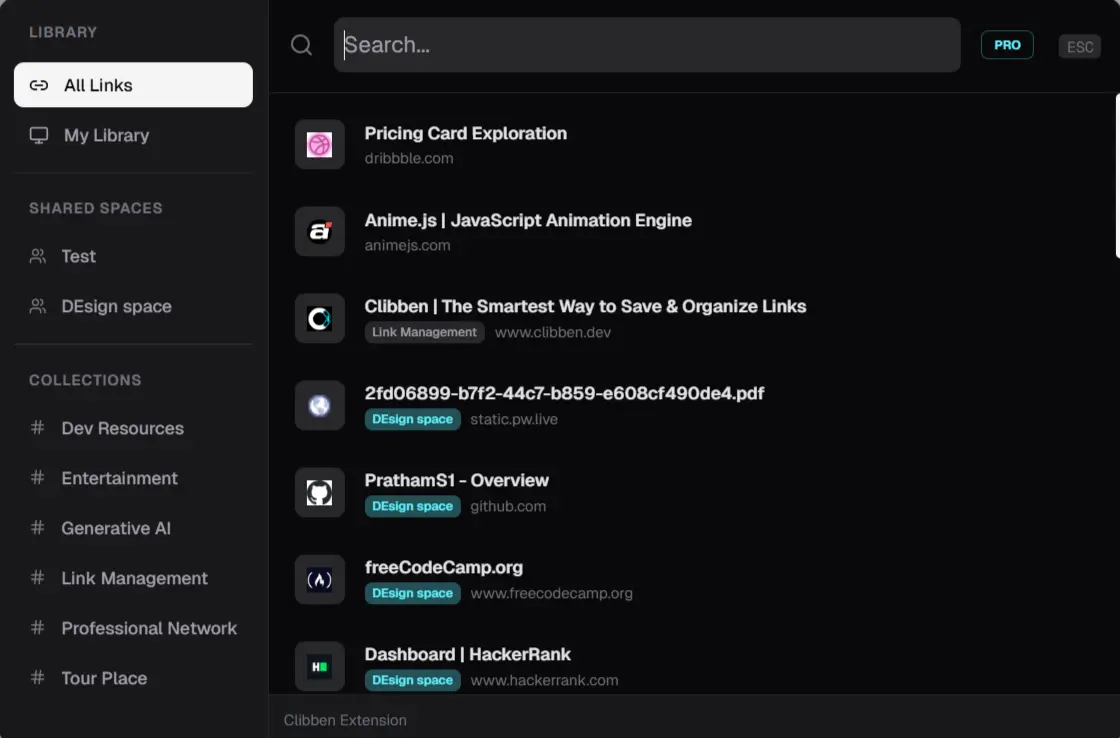
You're in Figma, you need that font pairing you saved last week. Press your hotkey. The Clibben overlay appears over Figma in the browser. Type "font pairing" or "serif". The link appears. Click it. You never left Figma. This is the moment that makes the overhead of saving worth it.
Compound library utility.
You're starting something new and you know you've saved relevant references before - across four different past projects. Clibben's search finds them all, regardless of when you saved them or which collection they're in. Your library compounds over time. The more you save, the more useful it becomes.
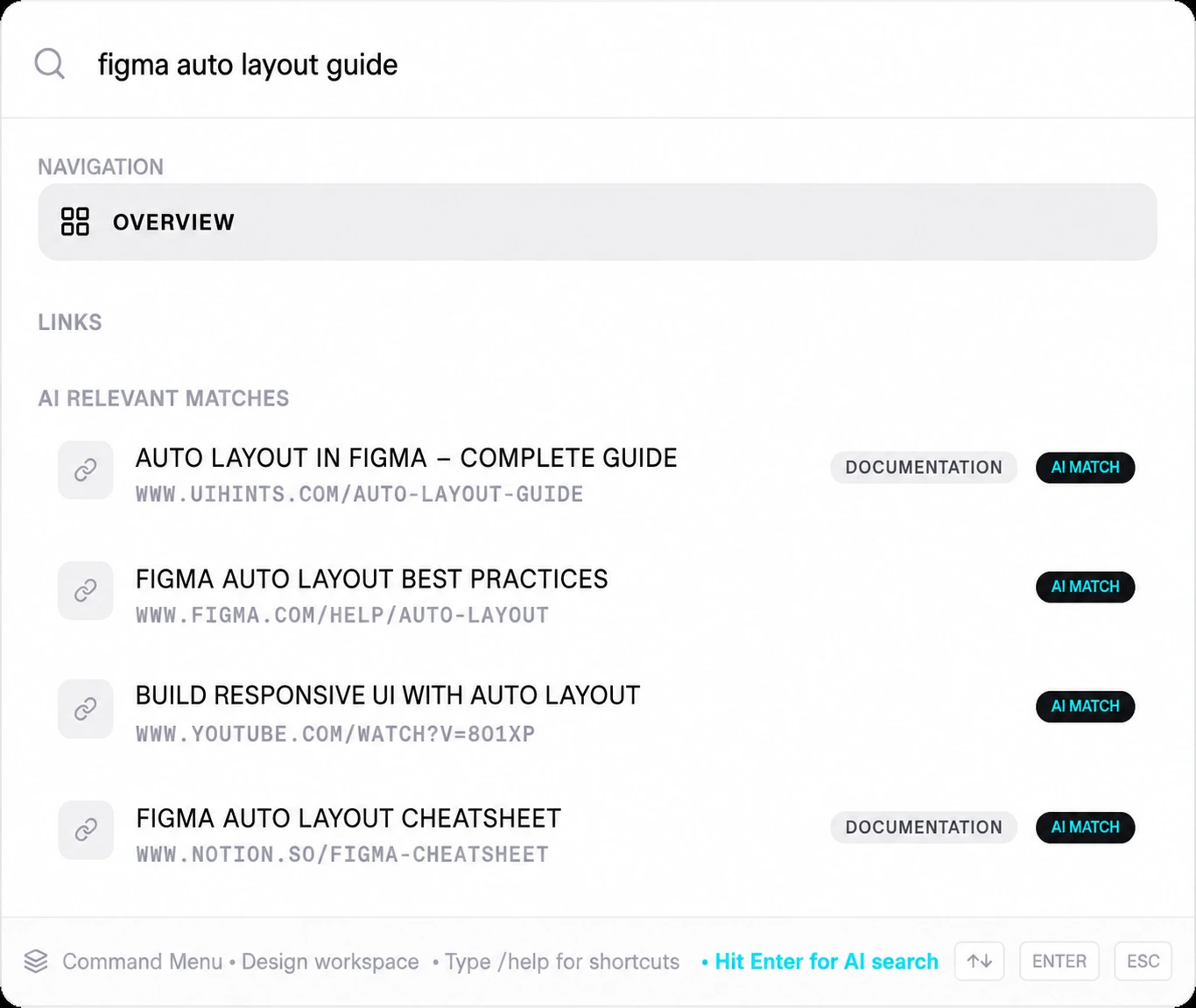
What a designer's Clibben library looks like
Specific collections, not a single "Bookmarks" dump.
Active Project - [Name]
All reference links for the current project. Archive it completely when it ships to keep your list clean.
UI Inspiration
Dribbble shots, Mobbin screens, Awwwards sites, design systems. Saved for UI patterns and visual details.
Typography
Font pairings, Google Fonts, Fontshare, Type Scale tools. Quick access when designing layout structures.
Colour & Palettes
Coolors, Realtime Colours, specific palette references. Saved for colour configuration inspiration.
Figma Resources
Community files, icon packs, UI kits, plugins. The visual components you need regularly.
Competitor Research
Competitor sites saved by UX pattern - pricing, onboarding flow layouts, empty states.
Tools
Mockup generators, accessibility checkers, image optimisers, and layout testing tools.
Reading Queue
Design articles, case studies, typography theory - items to read when you are not in Figma.
Clibben's auto-categorisation suggests collections as you save. You can accept, rename, or restructure - the list above is a starting point, not a requirement.
Your references should help you design faster, not slow you down looking for them.
Clibben is free to start. Import your existing bookmarks in two minutes. Get the Chrome extension and start saving with a hotkey.
Start building your design library
Free to use. Import your existing bookmarks. One hotkey to save anything.