Your team's links are everywhere. Nobody can find them.
Slack threads, Notion pages, browser bookmarks, DMs - your team saves useful links constantly. Clibben Shared Spaces gives them one home that everyone can search in seconds.
Links your team saves. Where they actually end up.
Not in a structured folder. Not somewhere findable. Here is the real picture.
Someone shares a useful link in a channel. It gets three reactions and a “this is great!” reply. Two weeks later, it's buried under 400 other messages. Searching Slack requires remembering the exact channel, the approximate date, and ideally part of the URL. Most people just Google it again.
Someone creates a “Resources” page. It gets populated enthusiastically for the first week, then nobody updates it. Six months later it has 40 links, half of them broken, and no clear owner. Checking it takes longer than Googling.
One person on the team has all the good links - in their personal Chrome bookmarks. When they're off for a week, nobody can find the tool, the doc, or the reference. Their bookmarks leave when they do.
“Can you send me that link again?” - the universal team tax. Someone saves something, another person needs it, and the only retrieval mechanism is asking the person who has it to send it again. Every single time.
One shared library. Everyone saves. Everyone finds.
No folder maintenance. No asking around. No links buried in Slack.
Categorised instantly, shared with everyone
A team member saves a useful resource - a competitor's pricing page, an API reference, a design system, a tool they found. One click in the Clibben extension. The link appears in the shared space immediately. Every other team member can now find it.
The auto-categorisation reads the page and places it in a relevant collection automatically. Nobody had to decide where to file it. It's just there, in the right place.
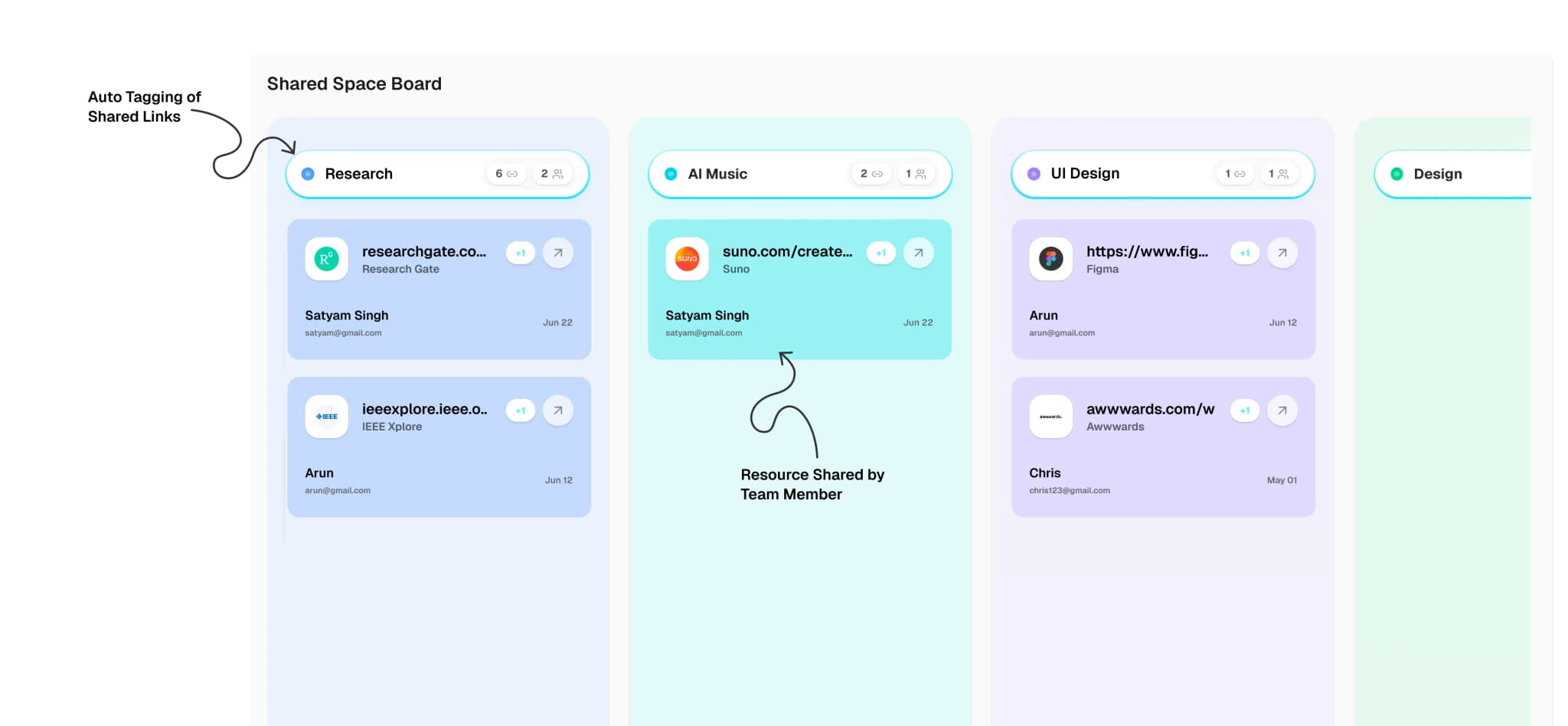
Retrieve from any tab in seconds
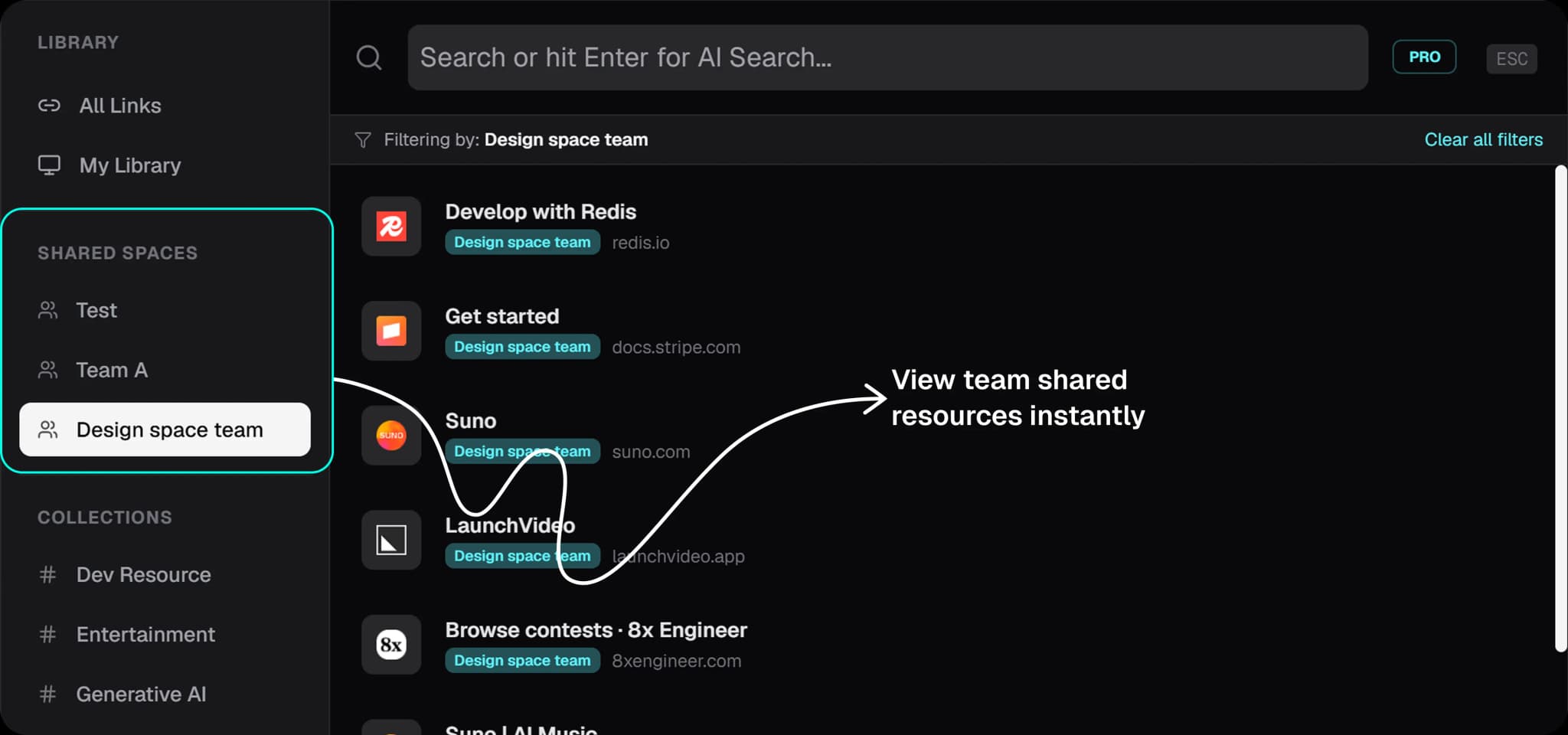
Press the keyboard shortcut from any tab. The Clibben overlay appears. Type anything - a topic, a domain, a keyword you remember. The search covers everything saved to the shared space by everyone on the team. The right link appears. You click it. You never left your page.
This works whether the link was saved by you, a colleague, or someone who left the team last year.
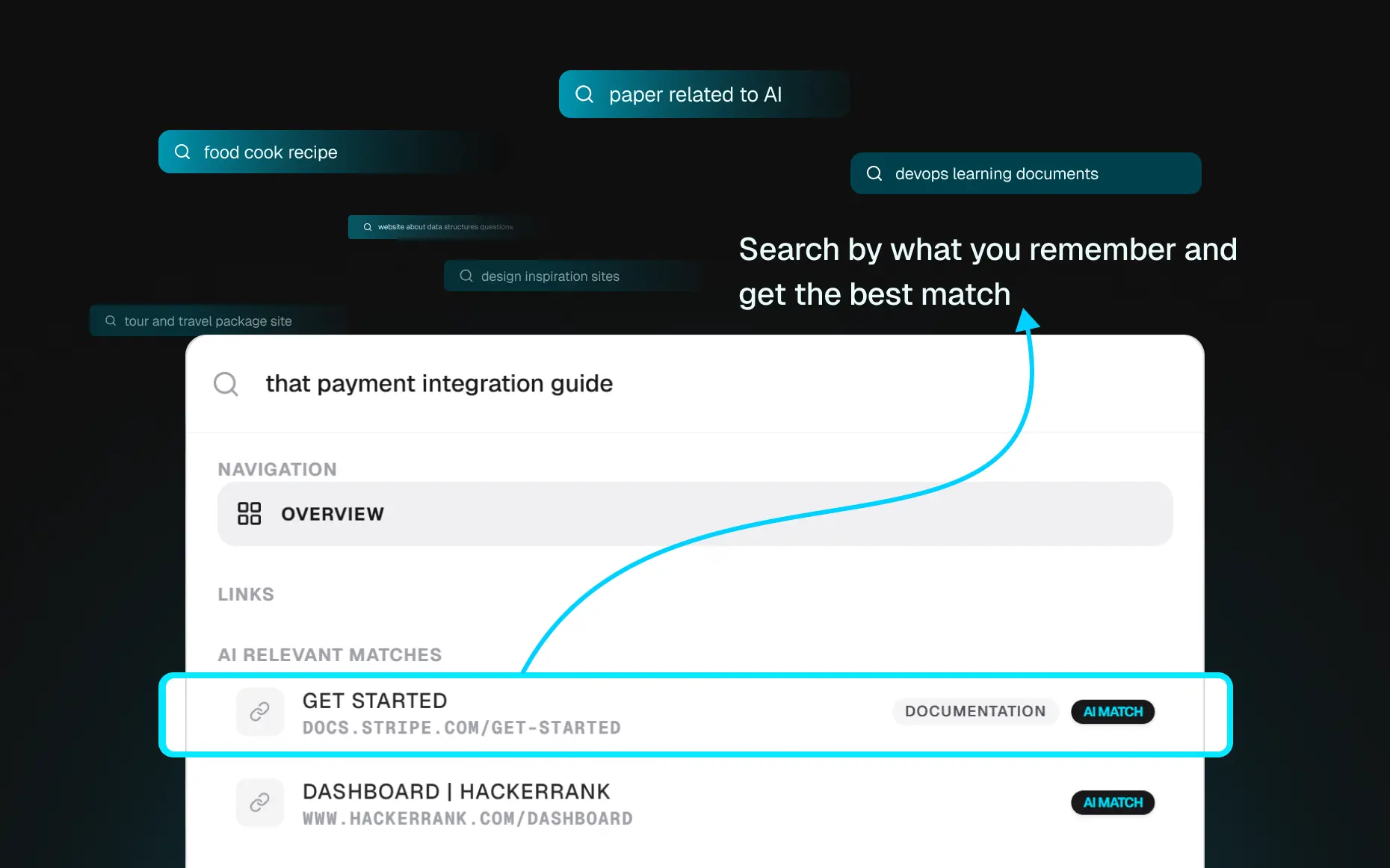
Search by meaning, not exact wording
The team saved a link about rate limiting three months ago. You need it now. You don't remember the title. Type “rate limiting” or “that middleware performance article” - AI Semantic Search finds it by meaning, not by exact keyword match. The older the library gets, the more useful this becomes.
The teams this was built for
Targeted space features structured for specific collaborative requirements.
API docs, GitHub repos, Stack Overflow threads, RFC references, architecture decision records. Resources that are hard to Google twice and impossible to find in Slack. A shared Clibben space means the whole team benefits every time one person saves something useful.
Competitor research, user research links, feature inspiration, product analytics dashboards, roadmap references. The kind of links that inform decisions but never get formally documented anywhere. Shared Spaces keeps them surfaced and searchable.
Figma files, Dribbble inspiration, design system references, font resources, UI pattern libraries. Designers save constantly and share rarely. Shared Spaces means the whole team's visual research is one search away.
Client-specific resources, brand guidelines, CMS links, reporting dashboards, tool stacks. One Shared Space per client keeps everything separated and accessible - no more “which Notion page has the client's brand guide?”
Source articles, competitor content, reference materials, editorial guidelines, topic research. Teams that save dozens of links per session and need to retrieve them across weeks and months of ongoing projects.
Slack is a conversation tool. Notion is a document tool. Neither is a link library.
Slack is designed for messages, not links. Its search is text-based and time-ordered - it is excellent at finding what someone said, not what someone saved. Every link shared in Slack decays. It moves down the feed, gets buried in threads, and becomes effectively irretrievable after a few weeks.
Notion is designed for documents. A “Resources” page in Notion requires someone to maintain it - to decide the structure, add the links manually, keep it updated, and ensure nothing goes stale. In practice, one person does this for two weeks and then stops. The page becomes a snapshot of what was useful in January.
Clibben is designed for links. Saving is automatic - paste or hotkey, categorisation handled. Retrieval is instant - one shortcut, type what you remember, find it. Nobody has to maintain the structure. Nobody has to ask around. The library grows as the team works, and it stays searchable.
Your personal library and your team's library stay separate.
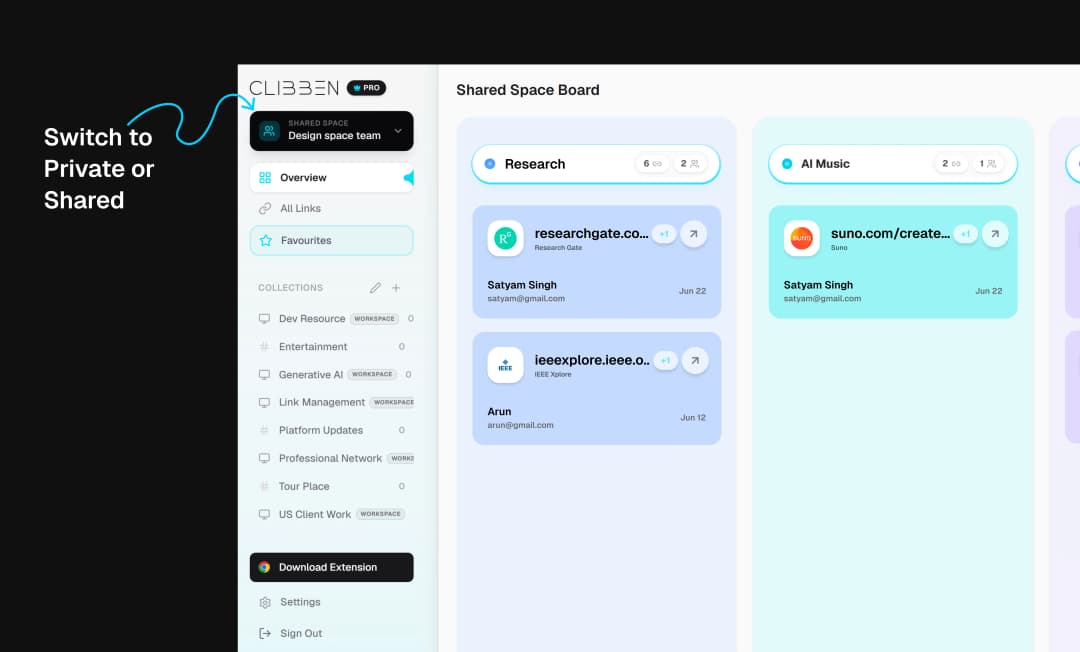
Every Clibben account has a personal library and can belong to one or more Shared Spaces. Saving to your personal library keeps a link private. Saving to a Shared Space makes it visible to the team.
The search overlay knows which space you're in. You can search your personal library, your team space, or both at once. Nothing leaks between them.
When someone leaves the team, their saved links stay in the shared space. When a new person joins, they immediately have access to everything the team has built - years of useful resources, searchable from day one.
Stop losing your team's best links to Slack.
Clibben Pro includes Shared Spaces. Free tier available for individuals.