How-to Guide
Import your bookmarks into Clibben
Choose your browser or source below. Your folders and structure carry over automatically.
01
Export from Chrome
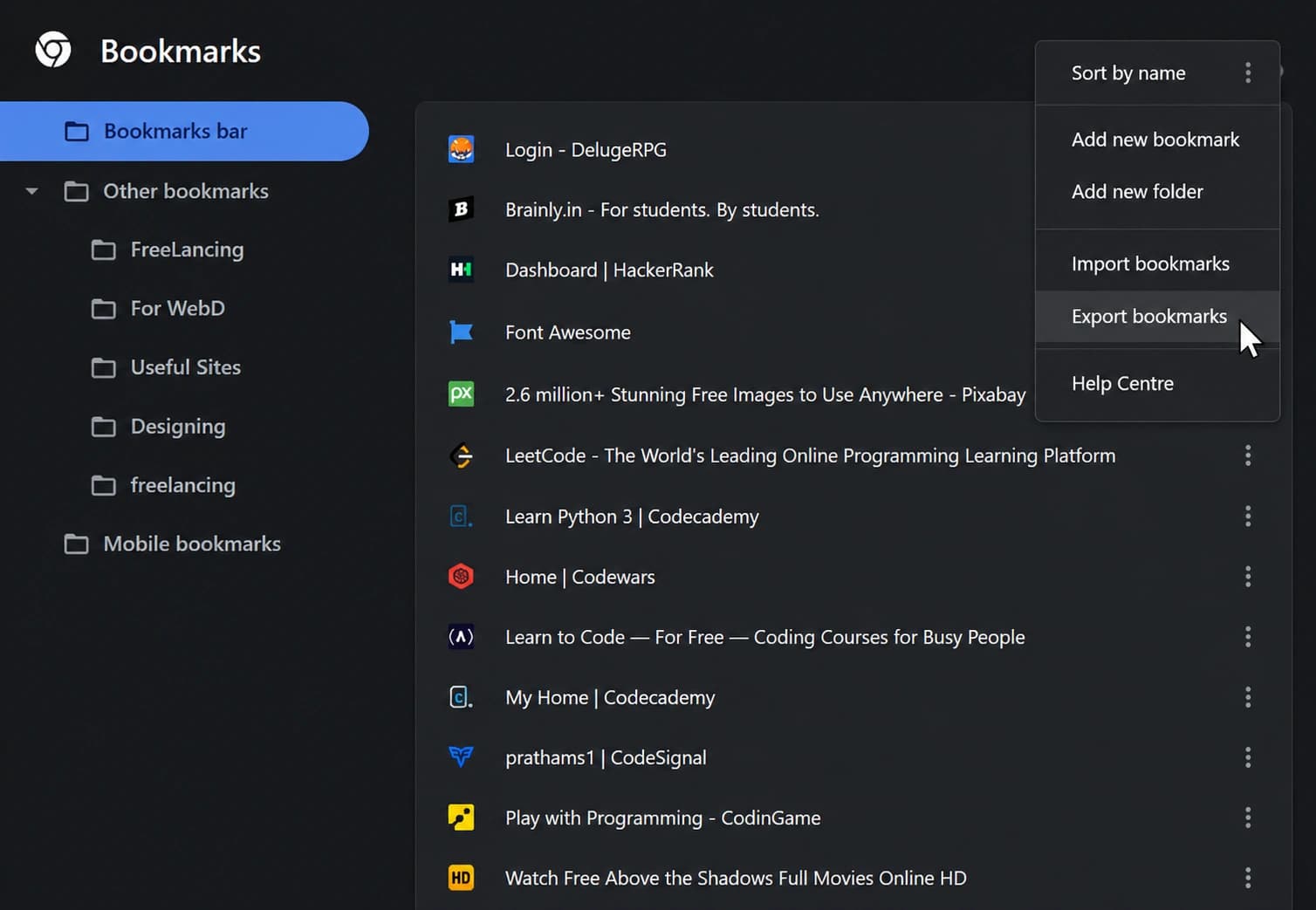
Open Chrome. Click the three-dot menu in the top right → Bookmarks → Bookmark manager. In the bookmark manager, click the three-dot menu again (top right of the panel) → Export bookmarks. Chrome saves an HTML file to your computer.
02
Import the file
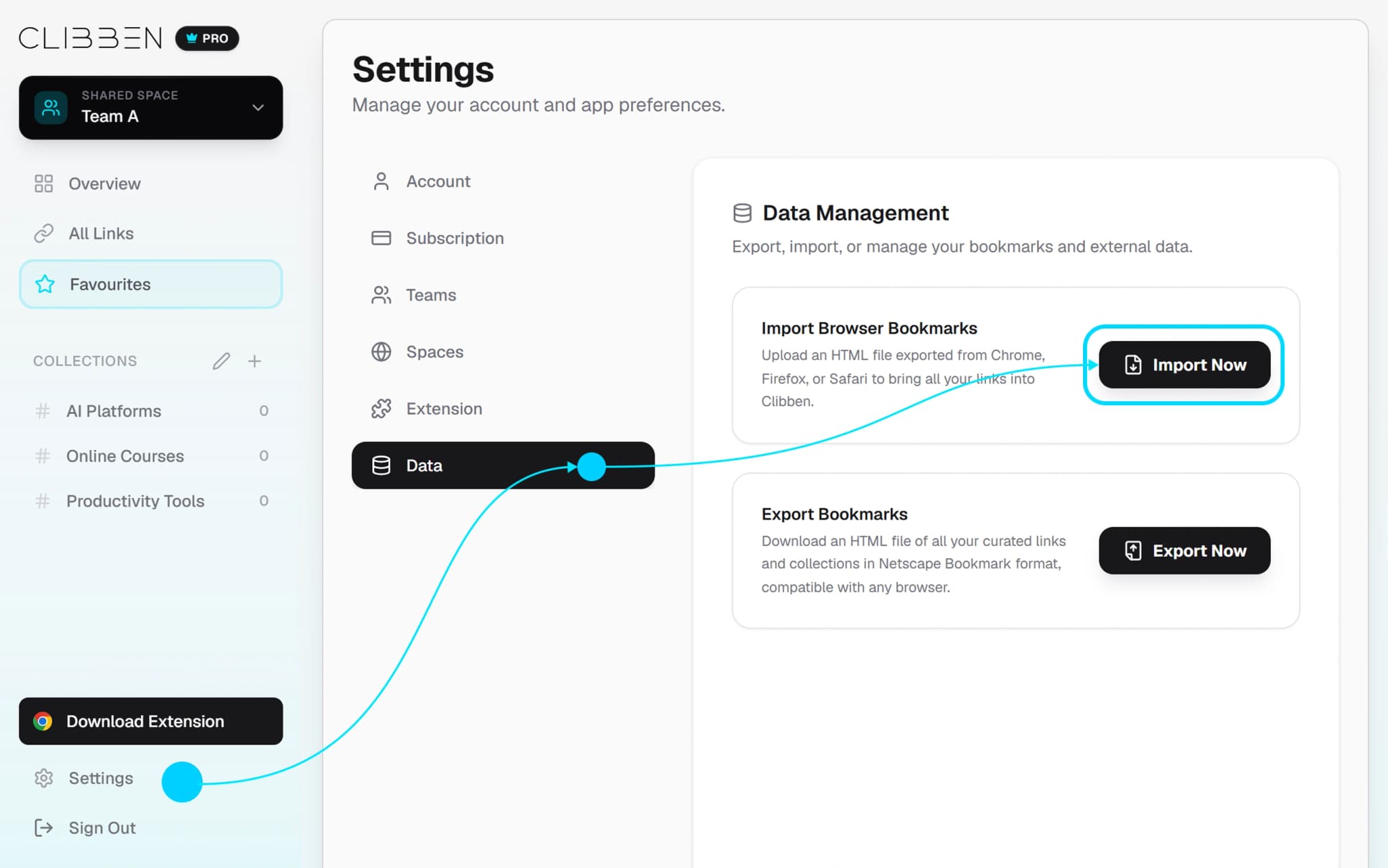
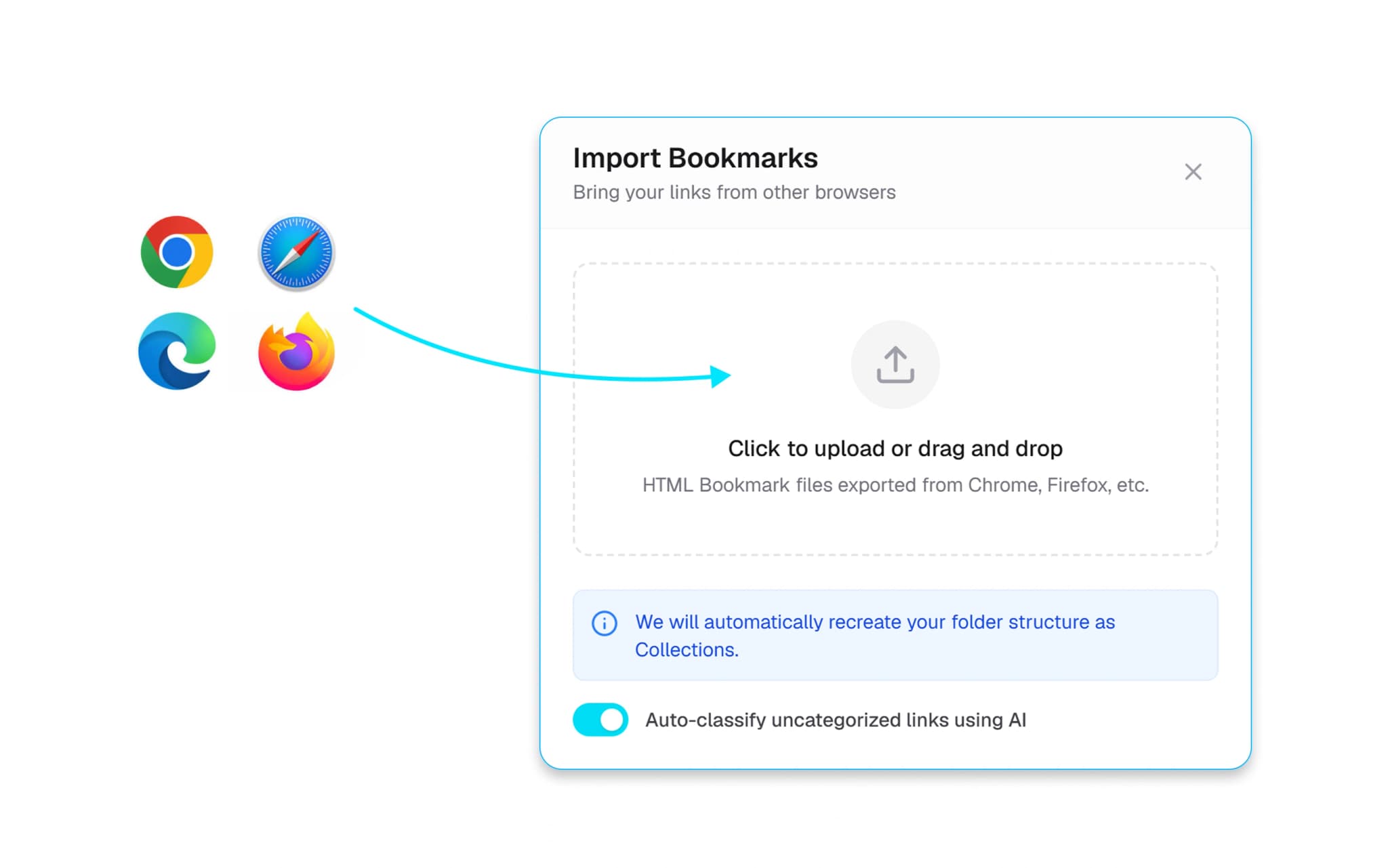
In Clibben, go to Settings → Import → Upload the HTML file from Chrome. Clibben reads your folder structure and creates matching Collections automatically.
03
Done
Your bookmarks are in Clibben. Auto-categorisation will review them and may suggest better groupings - you can accept or keep your original structure.
Frequently Asked Questions
Everything you need to know about migrating your bookmarks into Clibben.
Ready to bring your bookmarks over?
Free to start. No credit card. Takes 2 minutes.
Resources